
Vallar
-
SOE-TEAM
S10
-
-NoRulz-
S10
-
Q
S10
-
Old-Course-School
S10
-
TheLegends
S10
-
3-Lions
S10
-
Cordilleran0S
S10
-
TheArkangesTigers
S10
-
xFEARx
S10
-
Les_Virtual_Golfeurs
S10

| Subject |
[Update] Renewed Personal Records & Game Menu UI |
||||||||||||||||||||||||||||||||||||||||||||||||||||||||||||||||
|---|---|---|---|---|---|---|---|---|---|---|---|---|---|---|---|---|---|---|---|---|---|---|---|---|---|---|---|---|---|---|---|---|---|---|---|---|---|---|---|---|---|---|---|---|---|---|---|---|---|---|---|---|---|---|---|---|---|---|---|---|---|---|---|---|---|
| Date | Dec 09, 2025 | Views | 2,316 | ||||||||||||||||||||||||||||||||||||||||||||||||||||||||||||||
Dear SOmmunity
We would like to give you a closer look at the new content coming with the December maintenance.
Please read this announcement carefully to make sure you have all the information.
✅ Personal Records & Game Menu UI Renewal
◈ Personal Records UI Renewal
⦁ The UI of the [Personal Records – General Records] tab will be updated so you can view your character as it is.
⦁ Some duplicate or unused information will be removed.
* Avatars will not be displayed.
◈ General Records Tab Guide
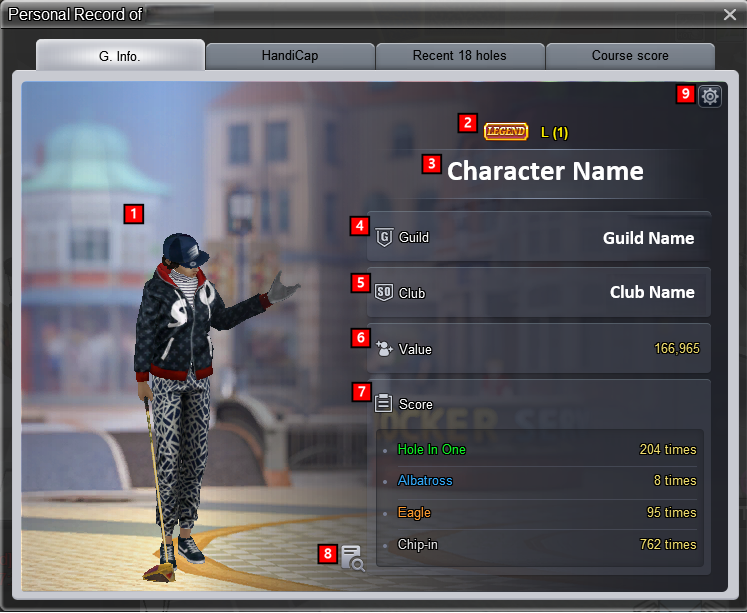
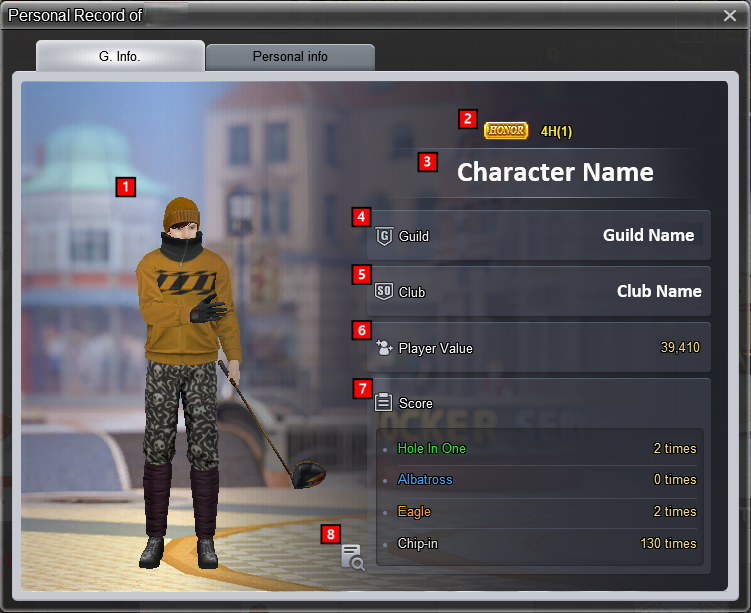
◈ Settings When Viewing Other Characters’ Information
⦁ General Info
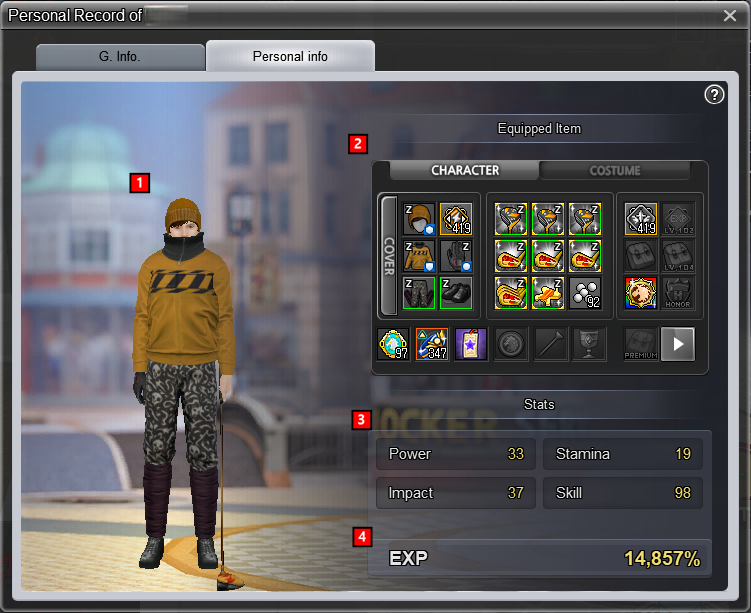
⦁ Status Window
The status window information in Personal Records is displayed according to the status window [C] visibility settings.
*If set to private, detailed information will not be shown.
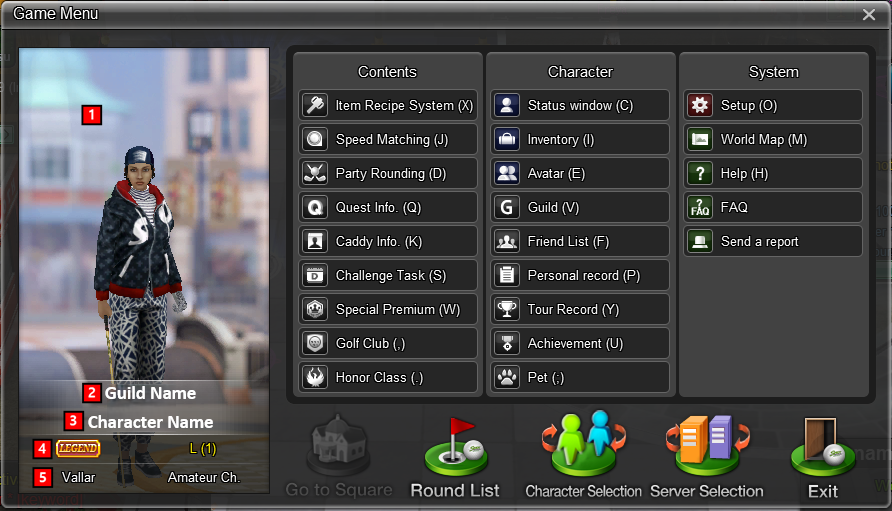
◈ Change Character Image in Game Menu
The character image displayed on the [ESC] game menu screen will be updated to show your own character.
We hope you enjoy the new game content and improvements from the December maintenance!
Your Shot Online Team |
|||||||||||||||||||||||||||||||||||||||||||||||||||||||||||||||||
-
RESULTS
16DEC
2025 -
NOTICE
09DEC
2025 -
NOTICE
09DEC
2025 -
NOTICE
09DEC
2025 -
NOTICE
09DEC
2025 -
NOTICE
09DEC
2025 -
NOTICE
09DEC
2025 -
NOTICE
08DEC
2025 -
RESULTS
02DEC
2025 -
RESULTS
30NOV
2025

