
Vallar
-
SOE-TEAM
S10
-
IGS
S10
-
-NoRulz-
S10
-
★Revolution★
S10
-
Q
S10
-
HarukaA
S10
-
PT
S10
-
3-Lions
S10
-
BandOfBrothers
S10
-
Les_Templiers
S10

| Subject |
[Guide] How to send .rar or .zip files for disconnections! |
||||
|---|---|---|---|---|---|
| Date | Mar 17, 2011 | Views | 13,773 | ||
|
Hello Shot-Online! Many have questions about disconnections and we would like to fix these issues immediately! Please send us the following information! 1. Please go to C:\GamesCampus\Shot Online and find the "Log" folder. Right click this folder and press "Add to 'Log.rar'" or zip if you are zipping said folder. 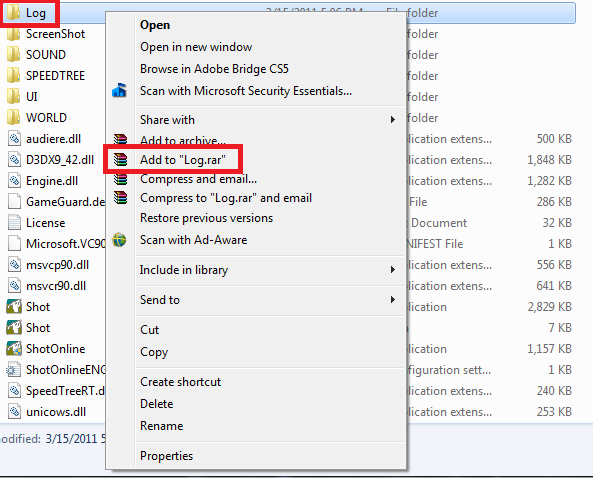 2. You will see a file created in this folder. Locate this file! 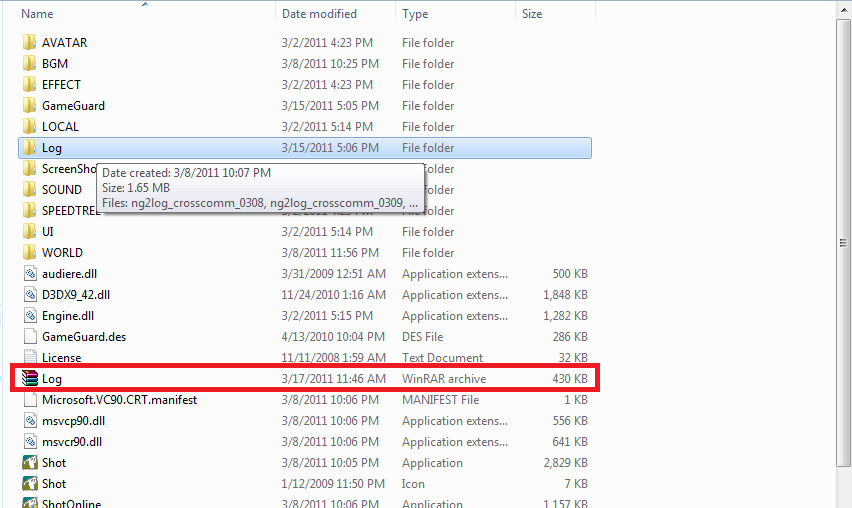 3. Go to the DQA Page and when submitting a DQA, please look at the bottom and press "Choose File". Find the file in the C:\GamesCampus\Shot Online folder and along with your message hit "Submit"! We will make sure to send your logs so we can resolve this issue immediately! 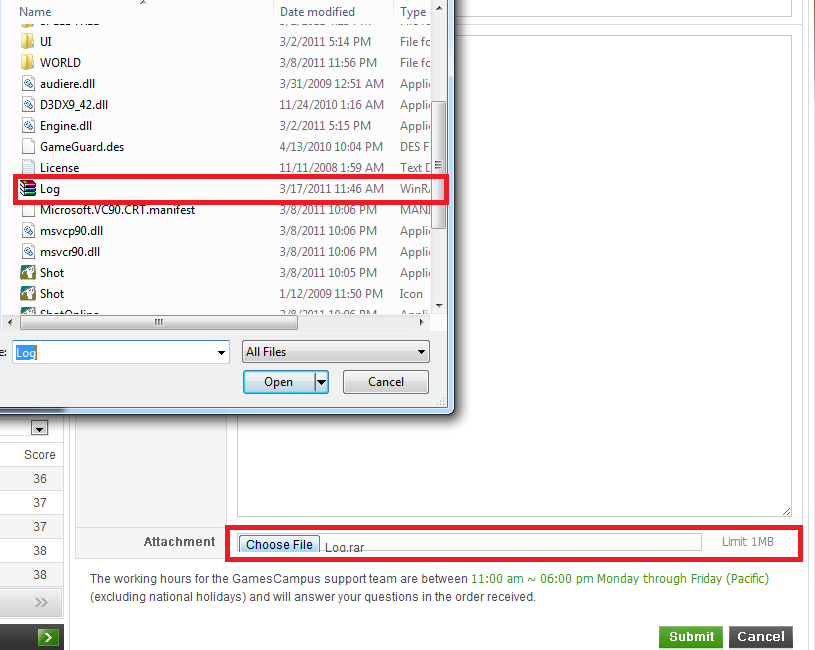 Thank you! -ShotOnline Team |
|||||
-
NOTICE
28MAR
2011 -
UPDATE
24MAR
2011 -
NOTICE
23MAR
2011 -
NOTICE
23MAR
2011 -
NOTICE
23MAR
2011 -
NOTICE
21MAR
2011 -
NOTICE
18MAR
2011 -
NOTICE
17MAR
2011 -
NOTICE
16MAR
2011 -
NOTICE
15MAR
2011


